A digital menu for food trucks, wherever you park.
Set your weekly schedule once. Customers see which location is open right now, automatically.
Free to start · No credit card · Ready in 10 minutes
Location is everything for food trucks
Customers who can't find your schedule go somewhere else. The fix is simple: give them one reliable place to check it.
Auto
open/closed status, no manual updates
1 link
for your full schedule and menu
$0
to get started
Problems every food truck owner knows
Customers message you every day asking where you are parked
Your schedule page shows which location is open right now, automatically. Set it once, your customers always know.
You rely on Instagram posts to share your weekly location
One link holds your full schedule. Customers bookmark it, check it before they leave the house, and find you every time.
People show up to a location where you already finished for the day
Each location has a start and end time. When time is up, the page shows it as closed - no surprises for customers.
Set it up once, it runs itself
Create your free account
Sign up in under a minute. No credit card, no setup fee.
Add your locations and schedule
Pin each spot on the map. Set the days and hours you serve there - Monday 11am to 2pm, Friday 5pm to 9pm, and so on.
Your page runs itself
When customers visit, they see which location is open right now, what's coming up next, and your full menu. No manual updates.
Everything a food truck menu needs
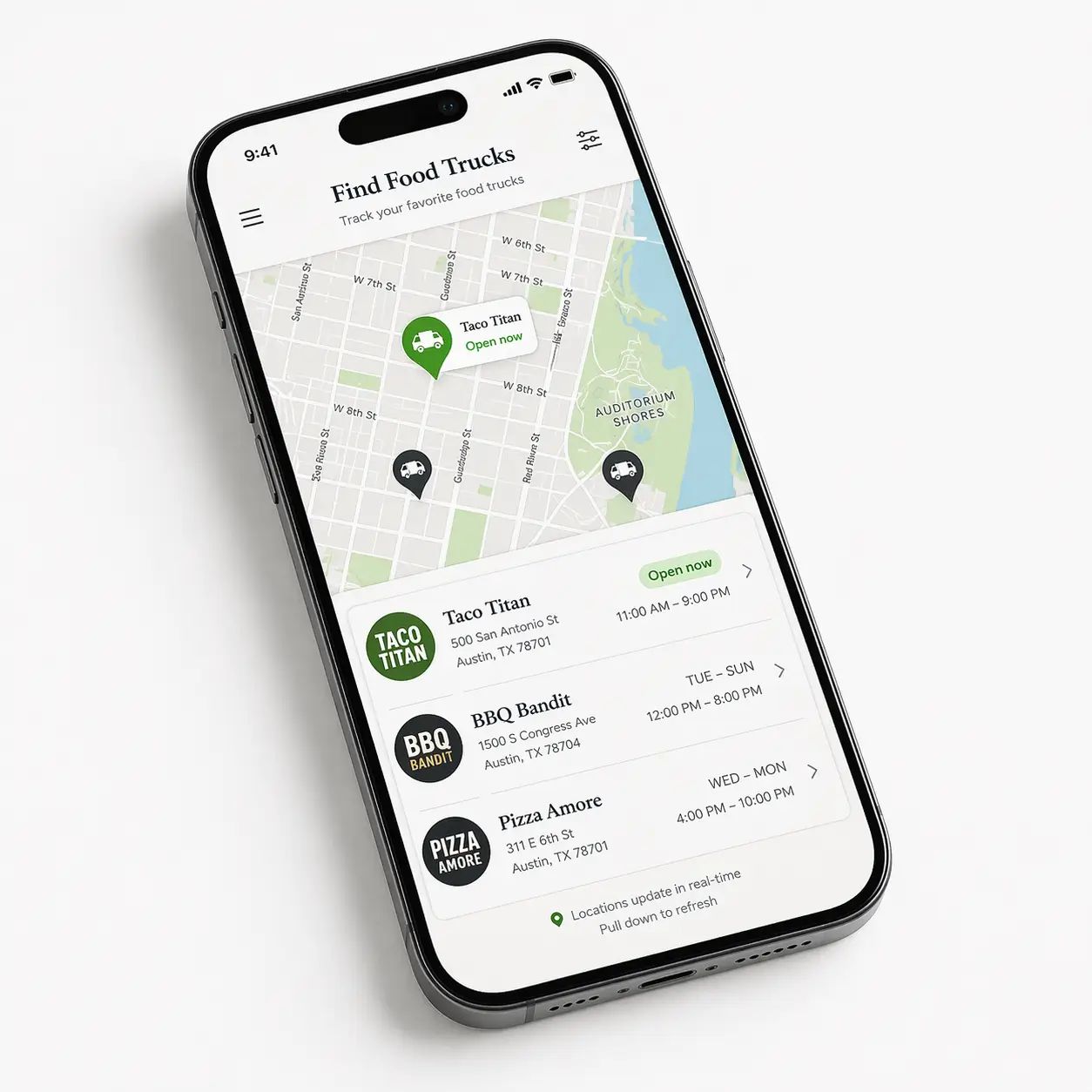
Multiple locations on a map
Add all your regular spots with their address. Customers see every location you serve and when.
Automatic open and closed status
Set hours per location. The page calculates in real time which spot is open now - no manual updates needed.
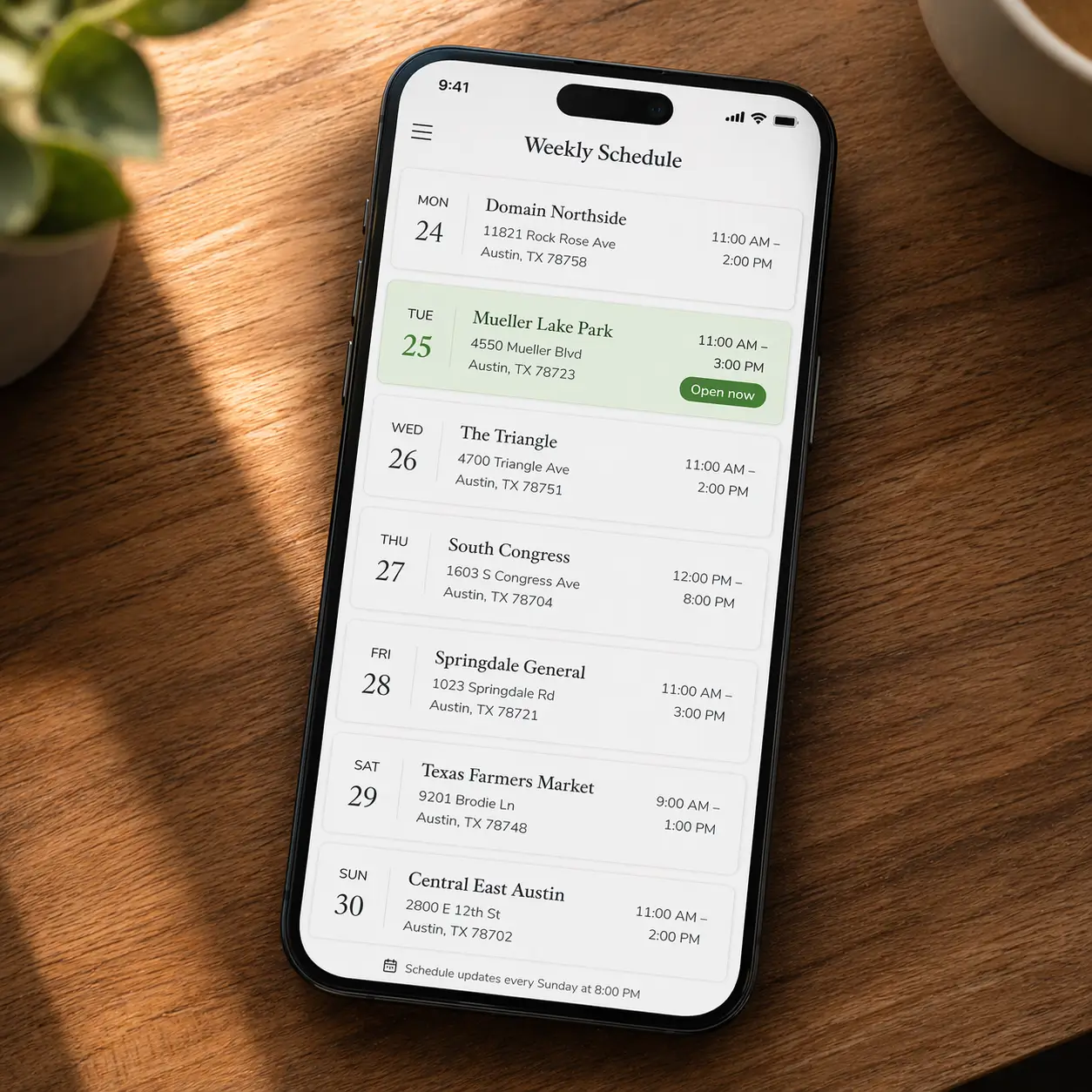
Weekly schedule
Show your full rotation by day. Monday near the office, Friday at the brewery. Customers plan around your schedule.
Full menu with photos
Categories, items, prices, descriptions, and sold-out toggles. All live and updated from your phone.
QR code for your window
Download and print your QR code. Customers scan while they wait in line and see your full menu instantly.
One link, everywhere
Share on Instagram, WhatsApp, Google, or flyers. Your full menu and schedule in one URL.
Set your week. Your page does the rest.
- Add each location with its address and serving hours
- Your page shows which location is open right now, automatically
- Customers see what's coming up next in your weekly rotation
- For a one-off event, add a temporary location with its own time window
Simple, honest pricing
Free forever
$0
No credit card required · ads shown
- Your own page at 1food.menu/@yourname
- Categories, items, prices, and allergens
- A photo and description for every dish
- Action buttons: order, call, WhatsApp, directions
- Food trucks: multiple locations, schedule, live map
- A QR code, ready to print
- One link, shareable anywhere
Pro
$129/year
Annual plan
- Everything in Free
- No ads on your page
- Scheduled promos
- Embed your menu on your own website
Secure payment via Stripe
Common questions
What is the best app for a food truck menu?
For a food truck you need more than a standard menu page - you need something that shows your schedule and which location is open right now. 1food.menu is built for exactly this: add your regular spots, set hours per location, and customers see which stop is open automatically. Full menu, QR code for your window, and weekly schedule included. Free to start.
How does the open and closed status work?
You set a start time and end time for each location. When a customer visits your page, the system checks the current time and automatically shows which location is open right now.
Can I add multiple locations?
Yes. Add as many locations as you need. Each one has its own map pin, address, days, and hours.
Do I need to update my page every day?
No. Set your weekly schedule once. The page calculates open and closed automatically based on your hours. You only update when your schedule changes.
What if I want to add a one-time location for an event?
Just create a new location with a specific date and time window. It will show as open during that time and disappear from the active view afterward.
Is it really free?
Yes. Full menu, multiple locations, weekly schedule, QR code - all free to start. No credit card required.
Also on 1food.menu: QR code menu · Digital menu for restaurants · Free restaurant menu
Stop losing customers to a bad link
Set your schedule once. Free forever. No credit card, no tech skills, no catch.