
Address and opening hours
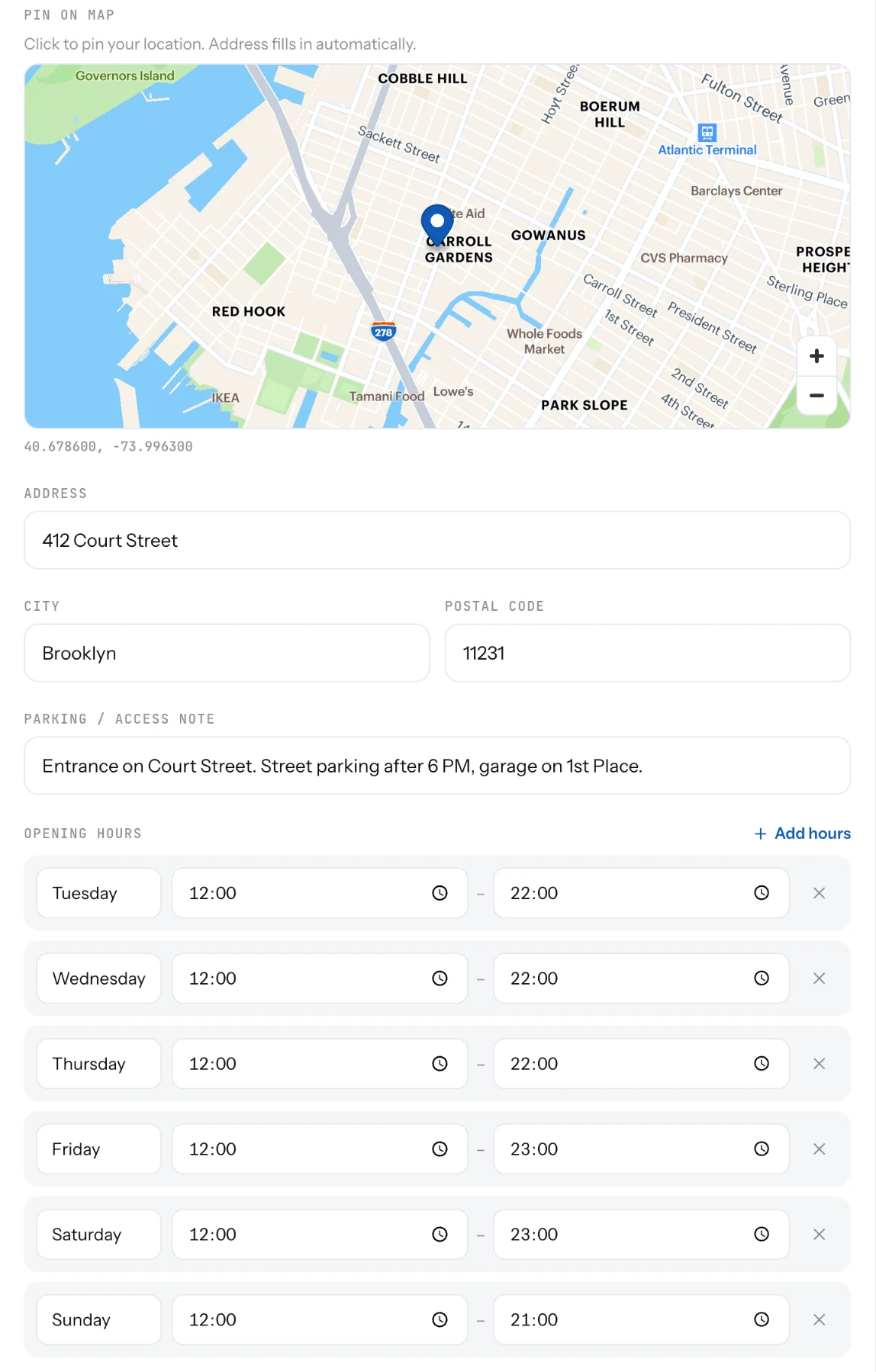
Pin your restaurant on the map and set the hours. Guests see a map, a directions button and whether you are open now.
A restaurant has one address and one set of opening hours. Both sit on the Location tab in Settings. Food trucks use spots instead.
Set the address and hours
- Open Settings and pick the Location tab.
- Under Pin on map, click your building. Address, City and Postal code fill in on their own.
- Add a Parking / access note if it helps: "Entrance on the side street".
- Under Opening hours, pick a day, set Opens and Closes, and click Add hours for each day.
- Save.
Good to know
- Your page shows "Open now", "Closes at 10 PM" or "Opens at 5 PM" from these hours. Keep them true.
- Two slots on one day are fine: lunch and dinner. Overlapping slots are flagged.
- Closed on a holiday? Turn the page off for the day, or post an update saying so. The hours stay as they are.
- The Directions button needs an address here, or a Google Maps link on the General tab.
Related
- Contact buttonsCall, WhatsApp, Email, Directions and a link of your own, such as ordering. Two of them go under your name.
- ScheduleSet the days and hours for each spot. Guests see this week's stops and today's hours, and whether you are open now.
- What guests seeYour page from top to bottom, as a guest sees it on a phone: cover photo, name and buttons, open or closed, updates, menu, map, contact.