
Dishes
Add a dish with a name, price, photo and description. It shows on your page the moment you save it.
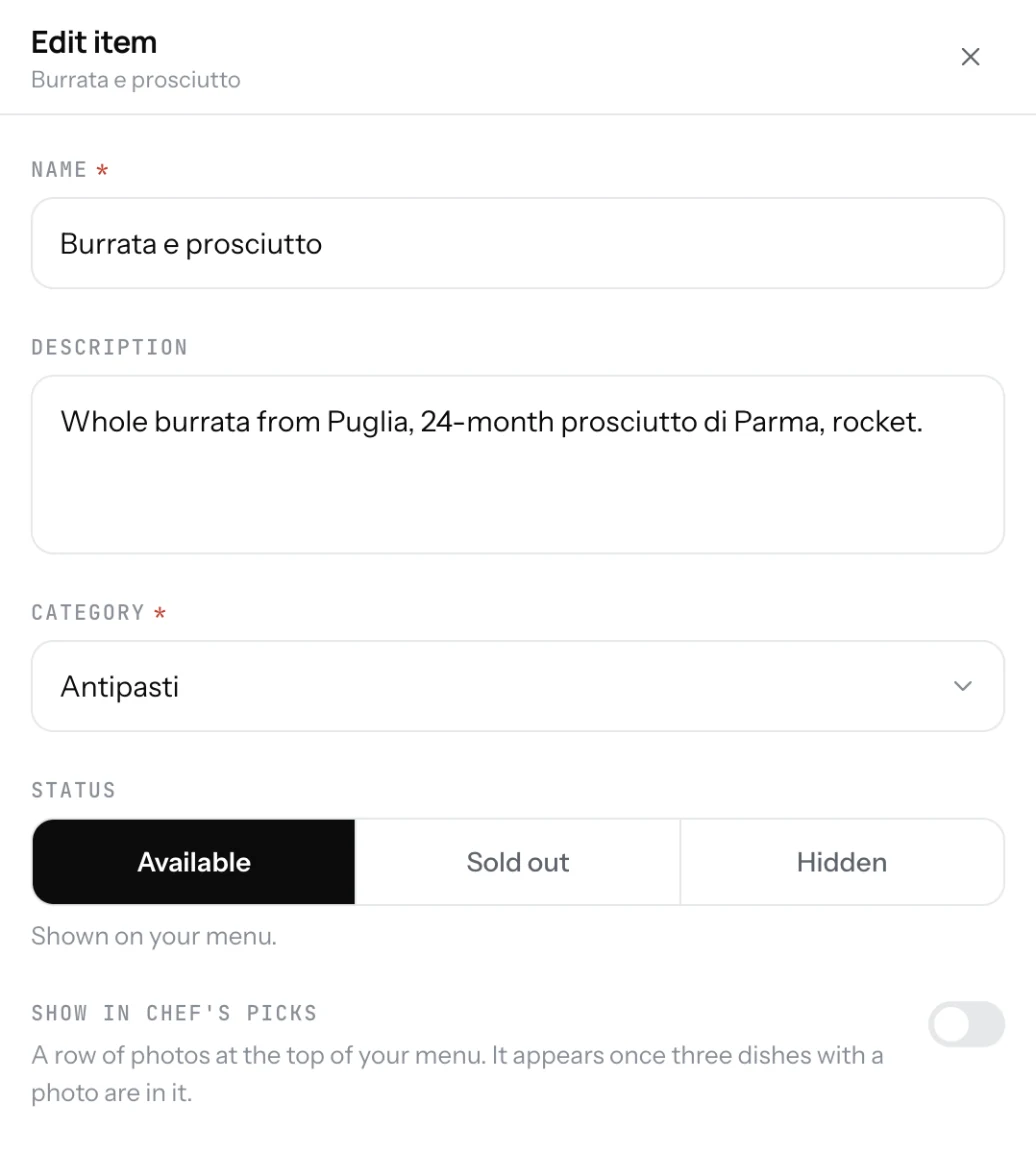
A dish is one line on your menu: the name, the price and, if you add them, a photo and a short description. In the Dashboard a dish is called an item.
Add a dish
- Open Menu in the Dashboard. You are on the Items tab.
- Click Add an item. If you have no category yet, add one first.
- Type the name. "Caesar salad", not "Our famous Caesar".
- Pick the category and set the price.
- Add a photo and a description if you have them.
- Click Add item. The dish is on your page.
Good to know
- The description is one or two lines under the name. Say what is in the dish.
- Drag a dish up or down in the list to change its order on your page.
- Duplicate copies a dish with all its settings. Useful for dishes that differ only by name.
- Use the search box and the category filter at the top of the list to find a dish on a long menu.
- Deleting a dish cannot be undone. To take it off the menu for a while, mark it hidden instead.
Related
- CategoriesGroup your dishes into sections like Starters, Mains and Drinks. Guests jump between them on your page.
- PricesOne price, or several sizes with their own price. A sale price shows next to the old one, crossed out.
- Dish photosAdd a photo to a dish from your phone or from a link. Dishes with a photo get more attention on your page.