
The Dashboard
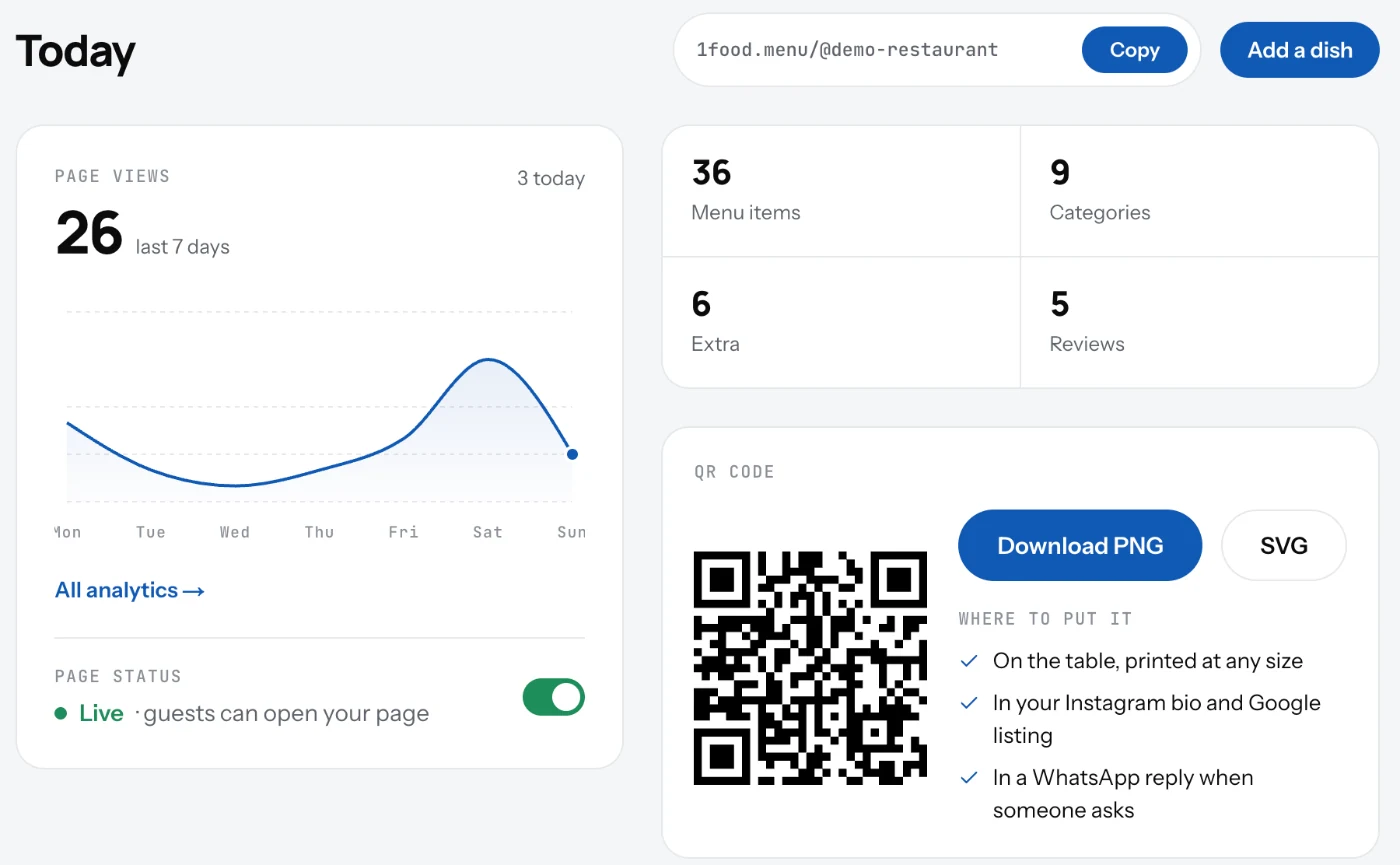
The first screen after you sign in: your page link, page views, the on and off switch, your counts and the QR code.
The Dashboard is the Today screen. It shows the state of your page at a glance and links to every other screen.
What is on it
- Your page link, with a Copy button. This is the address you share and print.
- Page views for the last 7 days, with a link to all analytics.
- Page status: the switch that puts your page on or off.
- Your counts: menu items, categories, extras and reviews. Each one opens its screen.
- Your QR code, ready to download as PNG or SVG.
- Buttons for Add a dish and View live menu.
Good to know
- On a phone the same screens sit in the bar at the bottom: Home, Menu, Updates, TV, Spots for trucks, Settings.
- The menu behind your avatar, top right, lists all your pages and signs you out.
- View live menu opens your page as guests see it. If the page is off, it asks whether to turn it on.
Related
- Turn your page on or offOne switch puts your page online or takes it down. Off means the link and the QR code open nothing.
- QR codeA QR code that opens your page, ready to print. Download it as PNG or SVG from the Dashboard or Settings.
- Page viewsHow many people opened your page, by day. See the last 7 days, 30 days or all time, and your busiest days.