
Your menu on your own website
ProPaste one line of code into your website and the same menu shows there, updated when you change it. Or read the menu as JSON.
If you already have a website, it can show the same menu as your page. No more PDF that is two price changes out of date: you edit the menu once in the Dashboard and your page, your website and your TV screens all show it. This is part of Pro.
Put the menu on your site
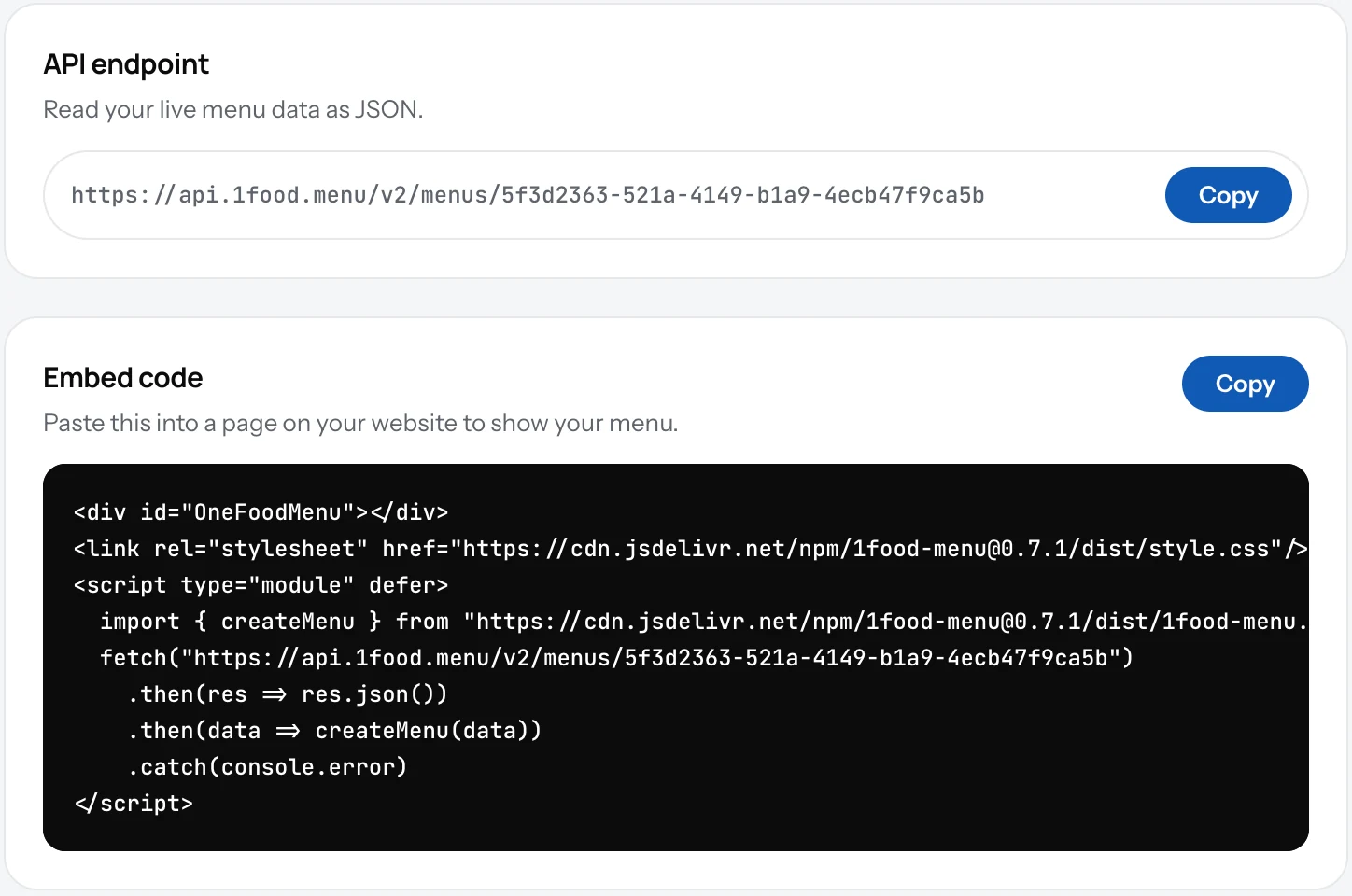
- Open Settings and click API access in the account list.
- Under the code, click Copy.
- Paste it into a page on your website, where the menu should appear. In WordPress, Wix or Squarespace that is a "custom code" or "HTML" block.
- Open the page. The menu is there, with your photos and prices.
Good to know
- The menu on your site takes your accent colour and updates within minutes of a change.
- The second address on the screen gives the menu as data (JSON) for a developer who wants to build something custom.
- Your 1FoodMenu page keeps working as before. The QR code can point to either.
Related
- Your menu on a TVShow the same menu on the TV in your shop. Pick a design, open one link in the TV's browser. No box, no app. Part of Pro.
- Plan and billingFree is your page and QR code. Pro puts the same menu on your website and your TV, with no ads and with Updates.
- Your page addressYour page lives at 1food.menu/@your-name. Change the name once every 14 days, and old links keep working.