
Create your page
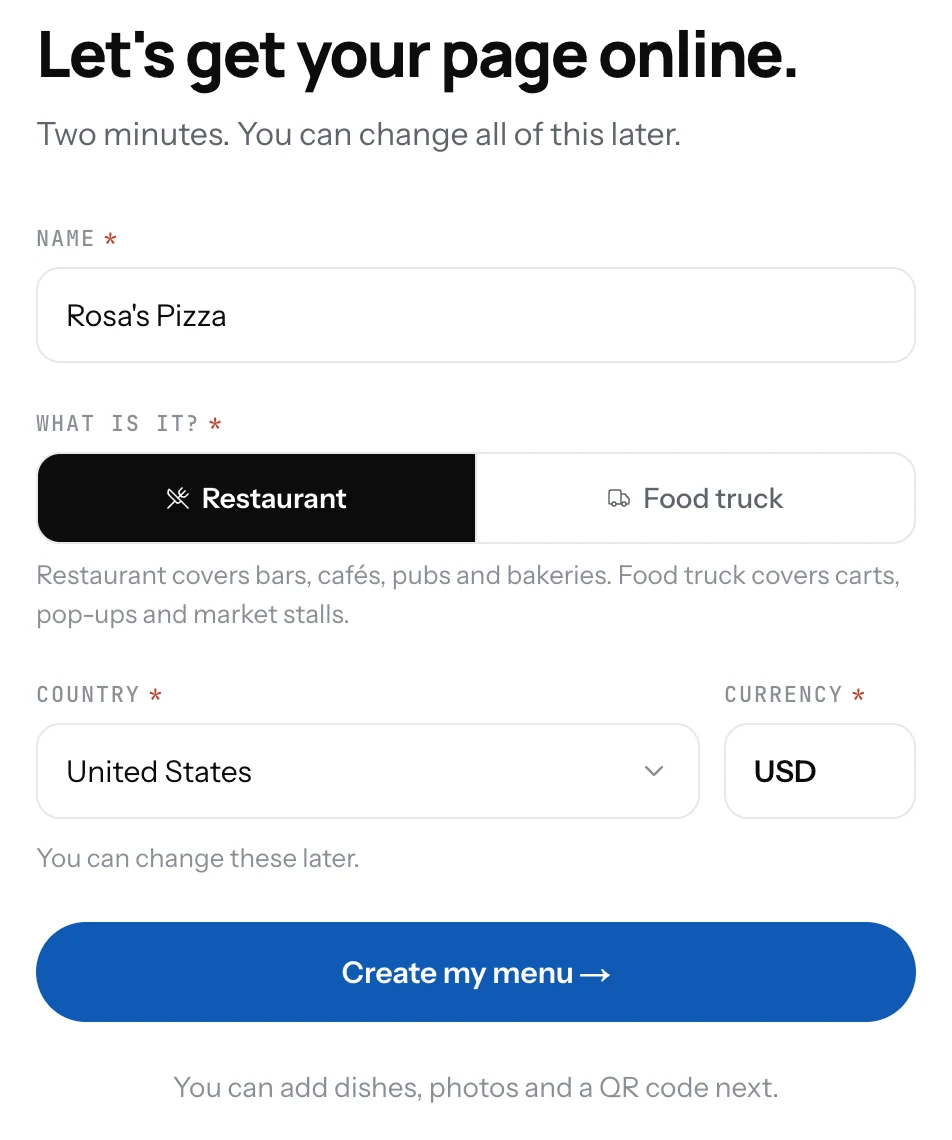
Name your place, say if it is a restaurant or a food truck, pick your country. Your page address is made for you.
One short form creates your page. Everything you type here can be changed later in Settings.
Fill in the form
- Type the Name of your place as guests know it.
- Under What is it? pick Restaurant or Food truck. Restaurant covers bars, cafes, pubs and bakeries. Food truck covers carts, pop-ups and market stalls.
- Pick your Country. The Currency fills in to match; change it if you need to.
- Click Create my menu. You land in the Dashboard, on the Menu screen, ready to add the first dish.
Good to know
- Your page address is made from the name: "Demo Restaurant" becomes 1food.menu/@demo-restaurant. You can change it in Settings.
- Restaurant and food truck differ in one place: a food truck gets a Locations screen with several spots and a schedule, a restaurant gets one address with opening hours.
- The country sets the phone number format and keeps map pins in the right place.
Related
- The DashboardThe first screen after you sign in: your page link, page views, the on and off switch, your counts and the QR code.
- Your page addressYour page lives at 1food.menu/@your-name. Change the name once every 14 days, and old links keep working.
- Name, logo and descriptionThe top of your page: your logo, your name, one line under it, and a longer text about your place.