
Tags
Short labels on a dish: Spicy, Vegan, New, Chef's pick. Up to three per dish, and guests can filter by them.
A tag is a small label on a dish. It tells guests something at a glance: Spicy, Vegan, New, Popular. Guests can also filter the menu by tag.
Add a tag to a dish
- Open the dish in Menu.
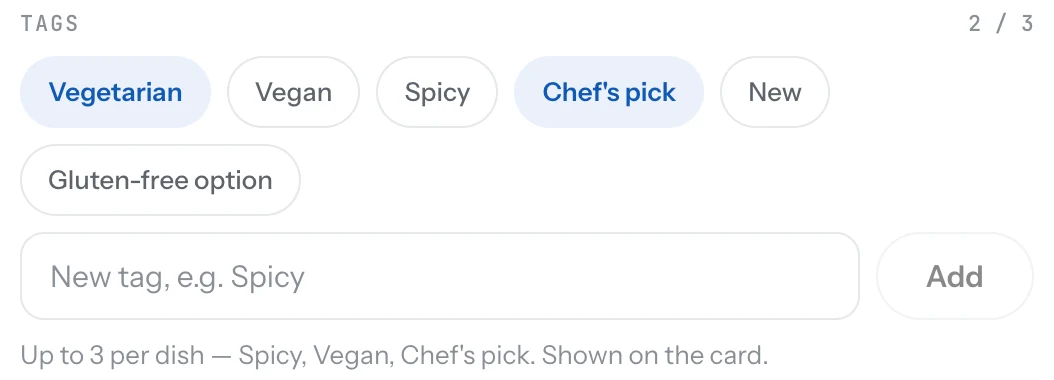
- Find Tags in the editor and click a tag to add it.
- To make a new tag, type its name in the box and click Add. It is then available for every dish.
- Save the dish.
Good to know
- Three tags per dish at most. Pick the ones that help a guest decide.
- Keep the list short across the whole menu. Five or six tags are easier to filter than twenty.
- Tags are labels, not warnings. Put gluten, nuts and milk in allergens.
Related
- DishesAdd a dish with a name, price, photo and description. It shows on your page the moment you save it.
- AllergensGive each allergen a short code and mark the dishes that contain it. Guests see the codes and a legend on your page.
- What guests seeYour page from top to bottom, as a guest sees it on a phone: cover photo, name and buttons, open or closed, updates, menu, map, contact.