
Search engines
What Google shows for your page: a title, a short description, and whether to list the page at all.
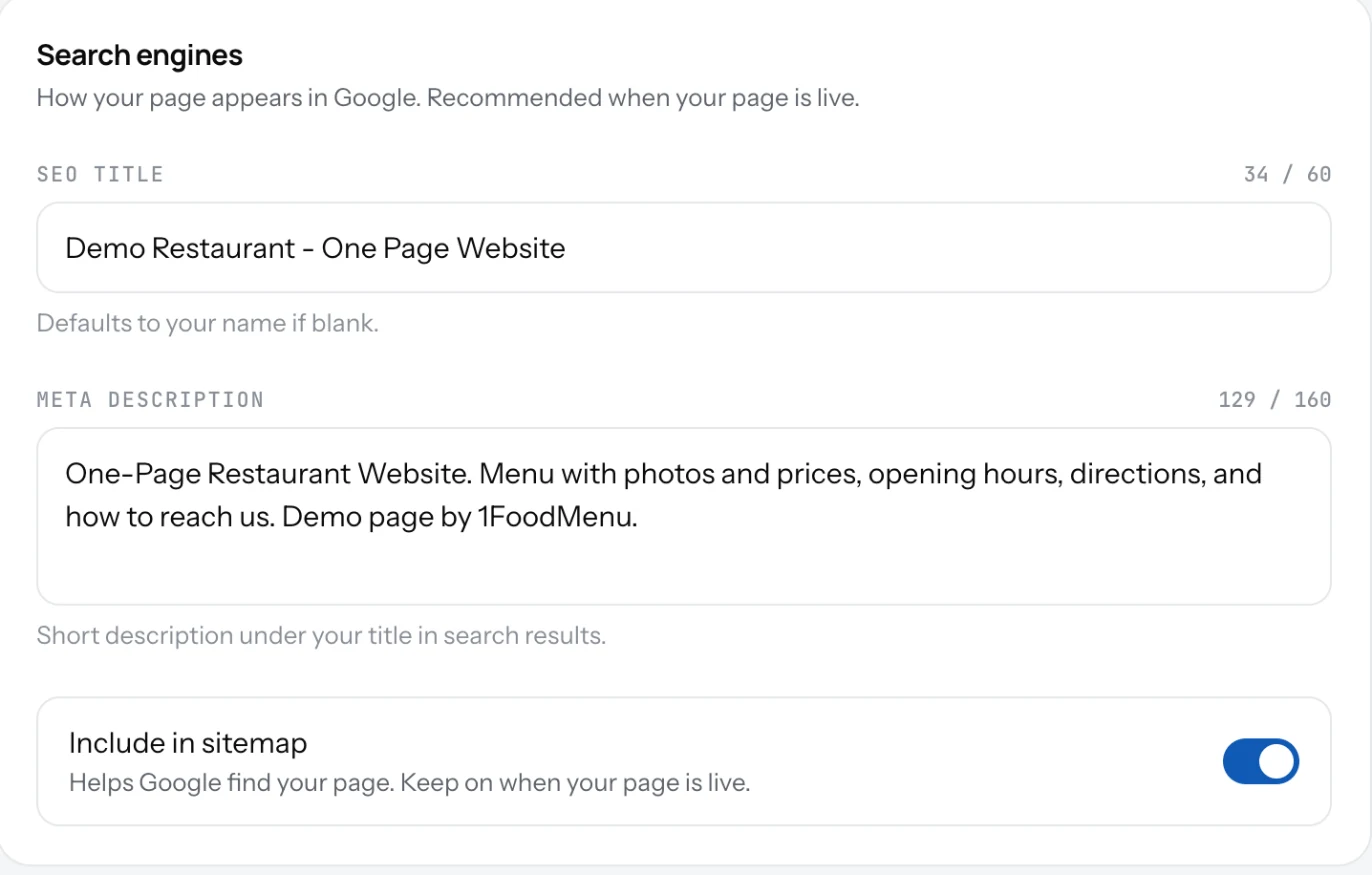
When someone searches your name, Google shows a title and a line of text. You set both here. They live under Search engines on the Page tab in Settings.
Set the title and description
- Open Settings and pick the Page tab.
- Under Search engines, type an SEO title of up to 60 characters: "Rosa's Pizza, Brooklyn". Empty means your name is used.
- Type a Meta description of up to 160 characters: what you serve and where. This is the line under the title in the results.
- Keep Include in sitemap on while your page is live.
- Save.
Good to know
- Put the town or neighbourhood in the title. People search "pizza Brooklyn", not "pizza".
- Google takes days to weeks to show changes. Nothing is wrong if it is slow.
- Turn Include in sitemap off only if you do not want the page found by search, a private event menu for example.
- Your page also carries structured data behind the scenes, the format Google uses to show a name, address, hours or price range directly in search results. This is automatic. There is nothing to turn on.
Related
- Your page addressYour page lives at 1food.menu/@your-name. Change the name once every 14 days, and old links keep working.
- Name, logo and descriptionThe top of your page: your logo, your name, one line under it, and a longer text about your place.
- Page viewsHow many people opened your page, by day. See the last 7 days, 30 days or all time, and your busiest days.