
Name, logo and description
The top of your page: your logo, your name, one line under it, and a longer text about your place.
These fields are the first thing a guest reads: who you are and what you do. They live on the General tab in Settings.
Fill in the General tab
- Open Settings. You are on General.
- Upload a Logo. Square works best. It shows on your page and on your QR code.
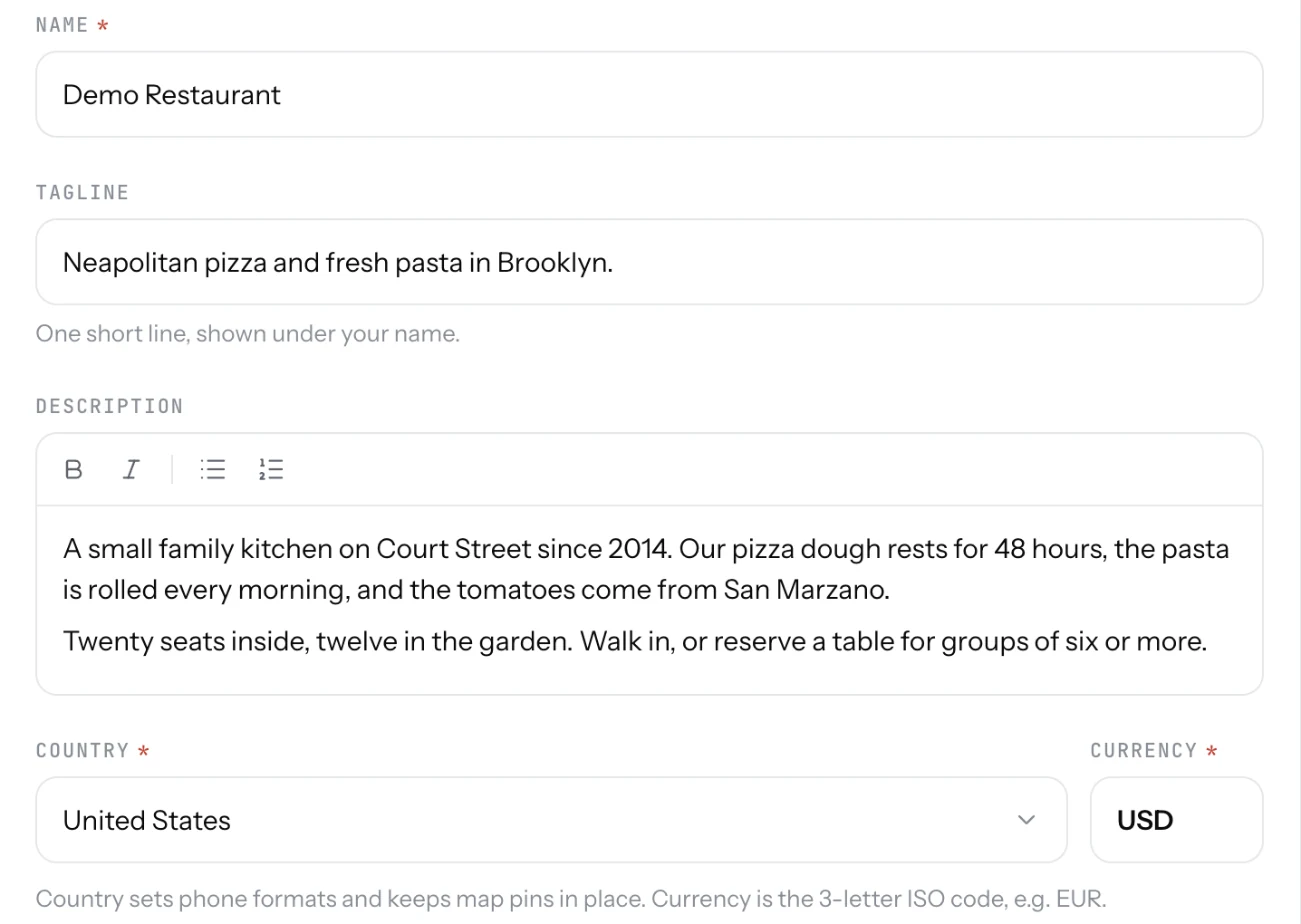
- Check the Name and add a Tagline: one short line under the name, "Fresh tacos on wheels".
- Write a Description for the About part of your page. Bold and lists are available.
- Check Country and Currency.
- Save. The bar at the bottom appears only when something changed.
Good to know
- Google Maps link is optional. With it, your Directions button opens your Google listing, with reviews and photos, instead of a plain pin.
- The country sets phone formats and keeps map pins in place. The currency is the 3-letter code, EUR or USD.
- No logo? Your name shows in its place. Add one later.
Related
- Accent colourThe colour of the buttons, links and highlights on your page. Pick one of eight, or type your own.
- Your page addressYour page lives at 1food.menu/@your-name. Change the name once every 14 days, and old links keep working.
- What guests seeYour page from top to bottom, as a guest sees it on a phone: cover photo, name and buttons, open or closed, updates, menu, map, contact.