
Allergens
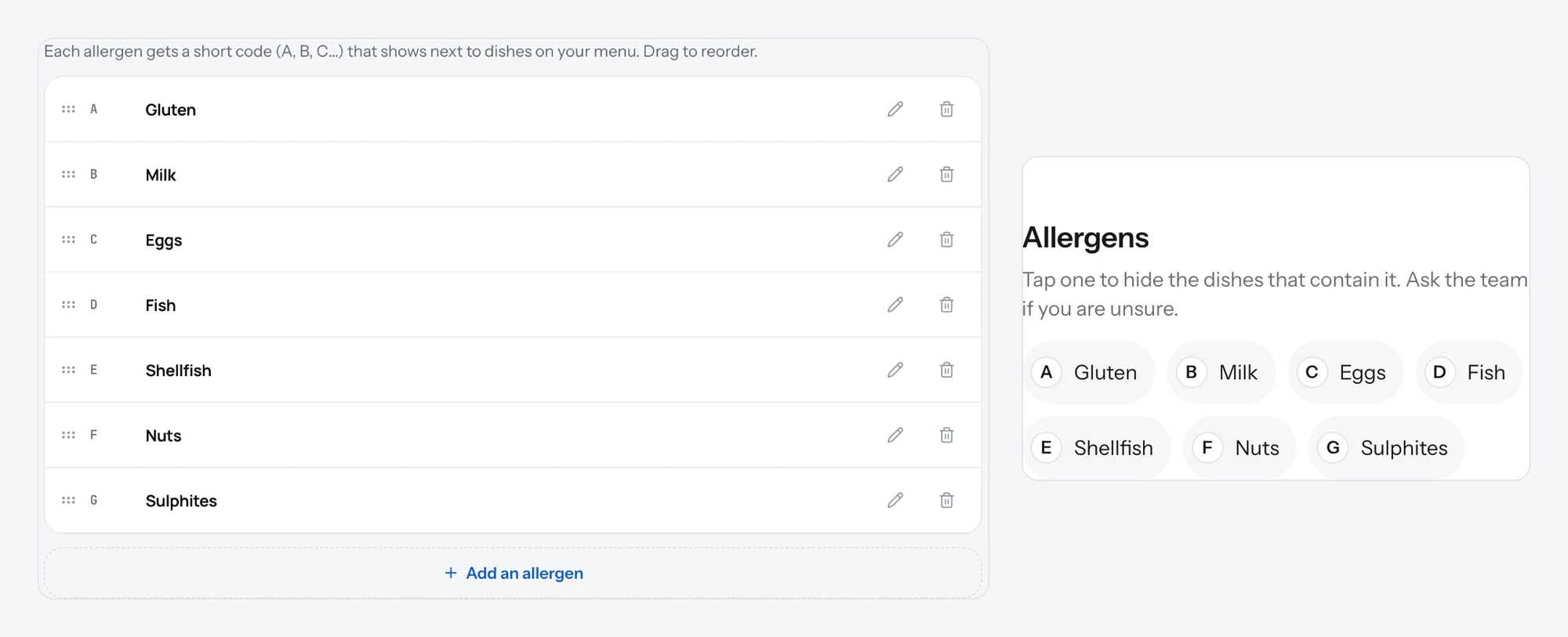
Give each allergen a short code and mark the dishes that contain it. Guests see the codes and a legend on your page.
Allergens are the things some guests must avoid: gluten, nuts, milk. Each one gets a short code, and the codes show next to the dishes that contain them, with a legend at the end of the menu.
Add allergens
- Open Menu and pick the Allergens tab.
- Click Add an allergen.
- Type the code and the name: "A" and "Gluten".
- Click Save. Repeat for each allergen you need.
- Open a dish, find Allergens in the editor and pick the ones it contains. Save the dish.
Good to know
- Use the codes your country uses if it has a standard list, so guests recognise them.
- Drag allergens to set the order of the legend.
- Guests can filter the menu by allergen on your page, so the codes do real work.
- Allergens are for safety. For "Vegan" or "Spicy" use tags instead.
Related
- DishesAdd a dish with a name, price, photo and description. It shows on your page the moment you save it.
- TagsShort labels on a dish: Spicy, Vegan, New, Chef's pick. Up to three per dish, and guests can filter by them.
- What guests seeYour page from top to bottom, as a guest sees it on a phone: cover photo, name and buttons, open or closed, updates, menu, map, contact.