
Spots
The places your truck stops. Pin each one on the map, the address fills in, and guests see them all on your page.
A spot is one place your truck stops: a market, a street corner, a brewery car park. Your page shows every active spot on a live map, with the hours you set for it. Spots are for food trucks. A restaurant has one address, set in Settings.
Add a spot
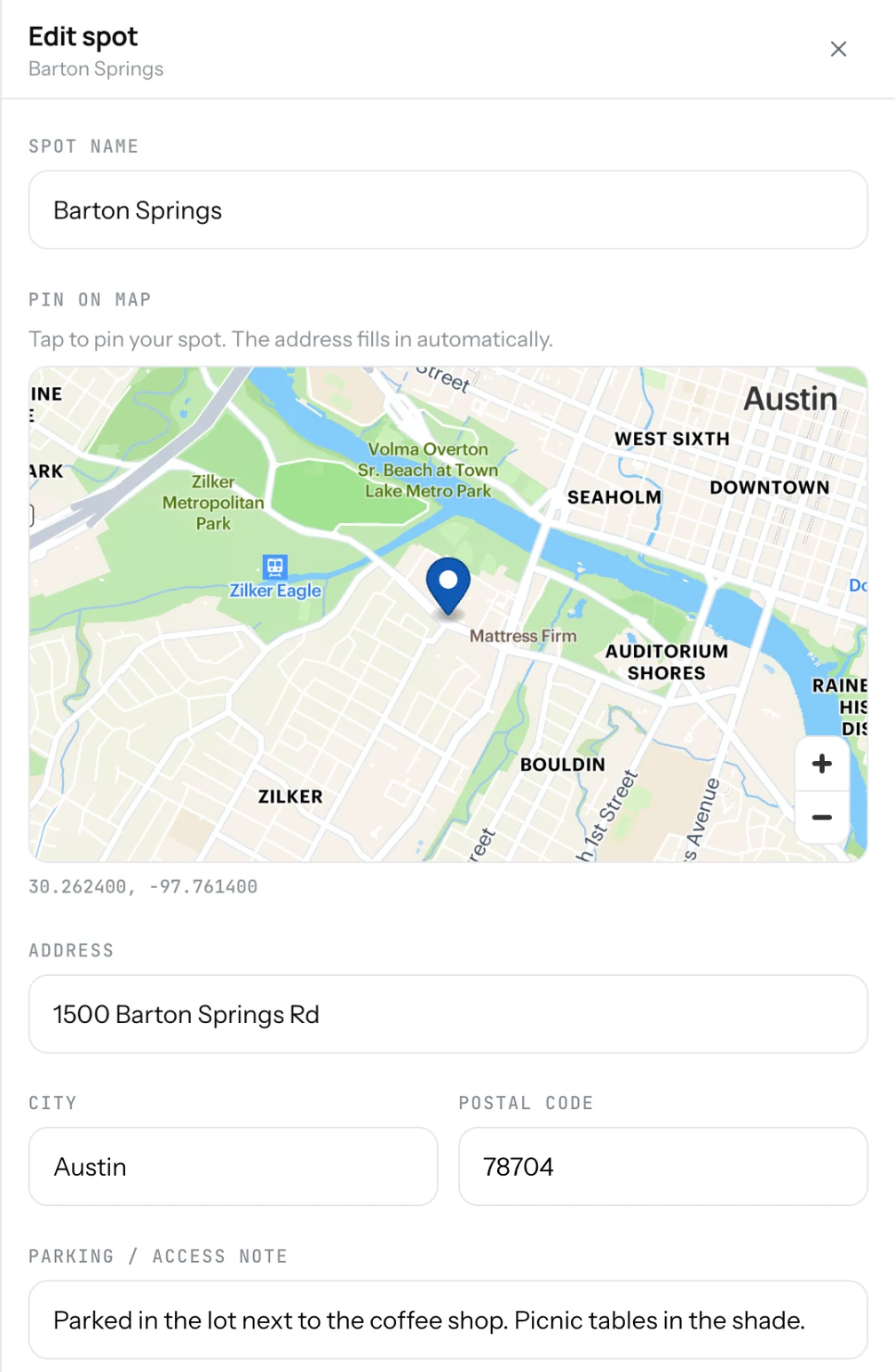
- Open Locations in the Dashboard (Spots on a phone).
- Click Add.
- Type the Spot name: "Downtown Market".
- Under Pin on map, tap the place. The address, city and postal code fill in on their own.
- Add a Parking / access note if guests need one: "Park near the north entrance".
- Add the hours for this spot and click Add.
Good to know
- Turn a spot Active off to keep it in your list without showing it. Good for a market that runs once a month.
- Drag spots to set their order on your page.
- A spot must be inside your registered country. The form tells you if the pin is outside it.
- The Directions button on your page opens the spot the guest picked.
Related
- ScheduleSet the days and hours for each spot. Guests see this week's stops and today's hours, and whether you are open now.
- Contact buttonsCall, WhatsApp, Email, Directions and a link of your own, such as ordering. Two of them go under your name.
- What guests seeYour page from top to bottom, as a guest sees it on a phone: cover photo, name and buttons, open or closed, updates, menu, map, contact.