
Plan and billing
Free is your page and QR code. Pro puts the same menu on your website and your TV, with no ads and with Updates.
Every page starts on Free and stays free for as long as you like. Pro is paid per page, per year.
Move a page to Pro
- Open Settings and click Plan & billing in the account list.
- Click Upgrade to Pro. Payment is by card, handled by Stripe.
- You are back in the Dashboard on Pro. TV screens, Updates and API access are open right away.
- To change the card, get a receipt or cancel, click Manage subscription.
What is in each plan
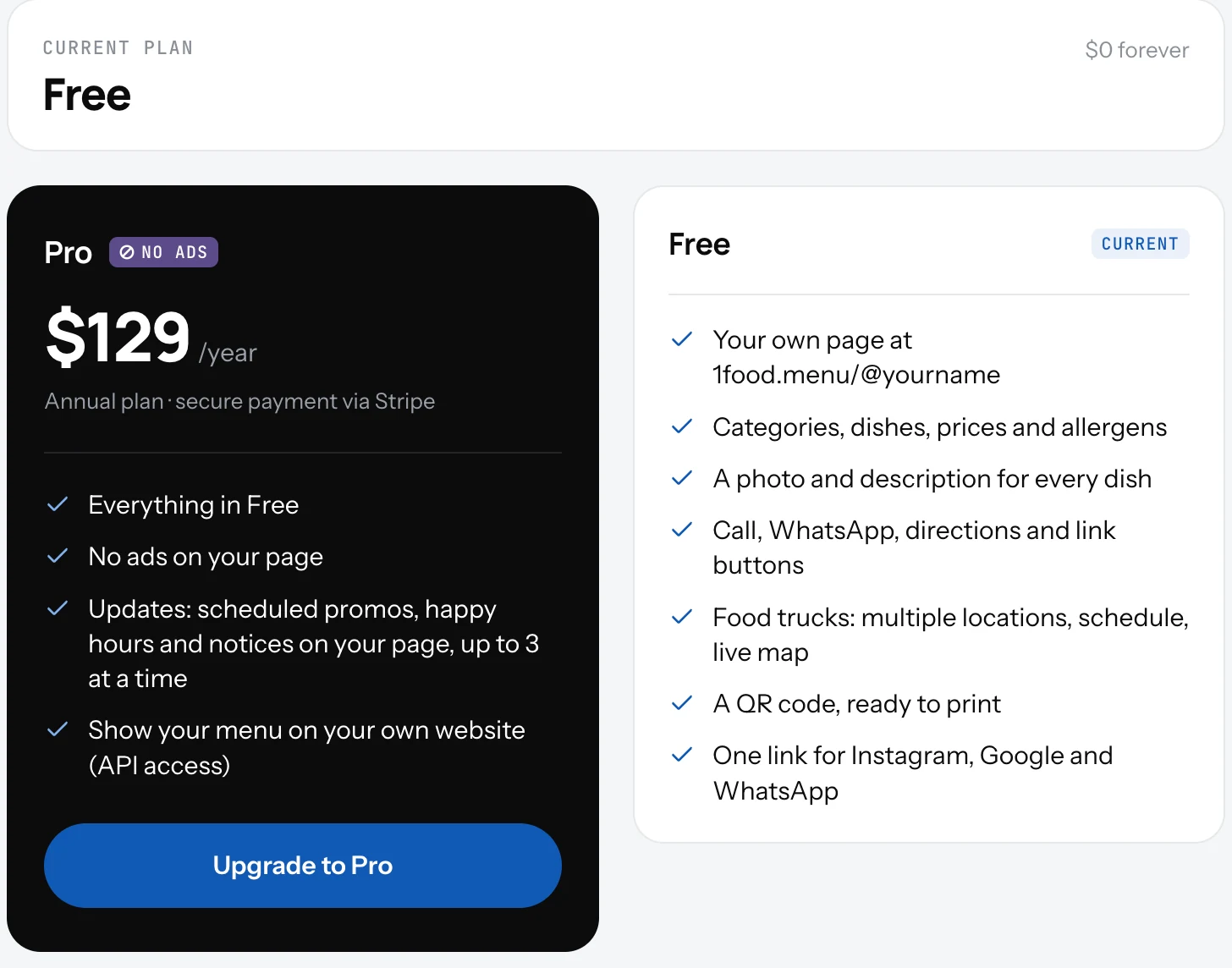
Free: your own page at 1food.menu/@yourname, categories, dishes, prices and allergens, a photo and description for every dish, Call, WhatsApp, directions and link buttons, food truck spots with schedule and live map, a QR code ready to print, one link for Instagram, Google and WhatsApp.
Pro, $129 a year: everything in Free, plus the same menu on your own website and on the TVs in your shop, no ads, Updates (up to three at a time), and no limit on the number of pages.
Good to know
- Pro renews once a year. The screen shows the renewal date.
- Cancel any time. Pro stays on until the end of the paid year, then the page goes back to Free with everything in place.
- The plan is per page. Two pages can be on different plans.
- One menu feeds every screen: your page, your website and your TVs. You never edit them one by one.
Related
- Your menu on a TVShow the same menu on the TV in your shop. Pick a design, open one link in the TV's browser. No box, no app. Part of Pro.
- Your menu on your own websitePaste one line of code into your website and the same menu shows there, updated when you change it. Or read the menu as JSON.
- UpdatesShort notices under your name on your page: this week's offer, a holiday closure, a new dish. Up to three live at once.