
Serving times
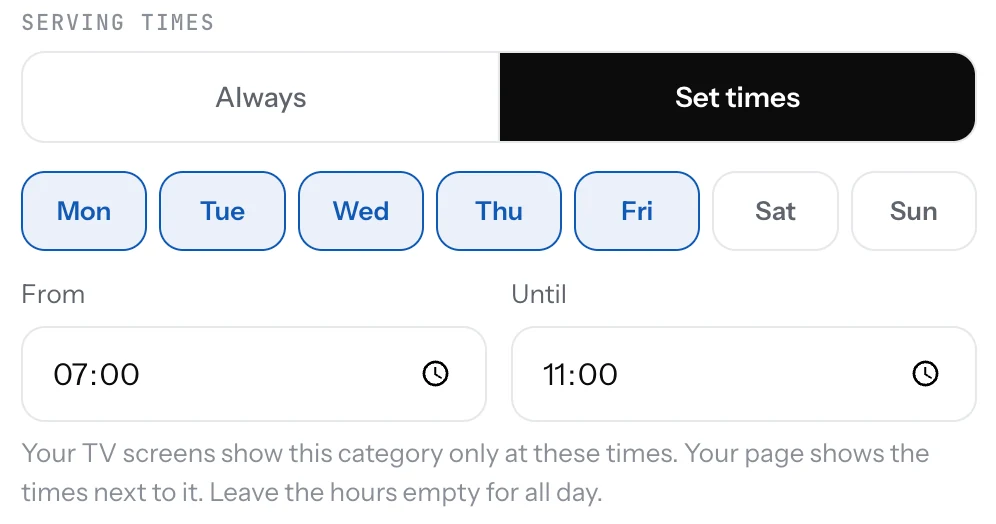
Give a category its days and hours, like breakfast 7:00 to 11:00. Your page says when it's served, and TV screens hide it outside those times.
Some categories are only served at certain times: breakfast in the morning, a lunch menu on weekdays, brunch on Sundays. Set the times once on the category and every screen follows them.
Set serving times
- Open Menu and open the category.
- Under Serving times, pick Set times.
- Pick the Days it's served.
- To limit the hours too, set From and Until. Leave both empty for all day.
- Save. The category row shows the times.
Good to know
- On your page the category stays, with "Served" and the times under its name, and "Not served right now" outside them. Guests can still read it.
- On a TV screen the category shows only during its times, by the TV's own clock.
- Until earlier than From runs past midnight, like a late menu from 22:00 to 02:00.
- Always is the default: served whenever you're open.
Related
- CategoriesGroup your dishes into sections like Starters, Mains and Drinks. Guests jump between them on your page.
- What's on a TV screenPick the categories a TV shows and their order, or untick single dishes. New dishes show up by themselves.
- Address and opening hoursPin your restaurant on the map and set the hours. Guests see a map, a directions button and whether you are open now.