
Reviews
See the reviews left on your page, hide the ones that should not show, and delete spam.
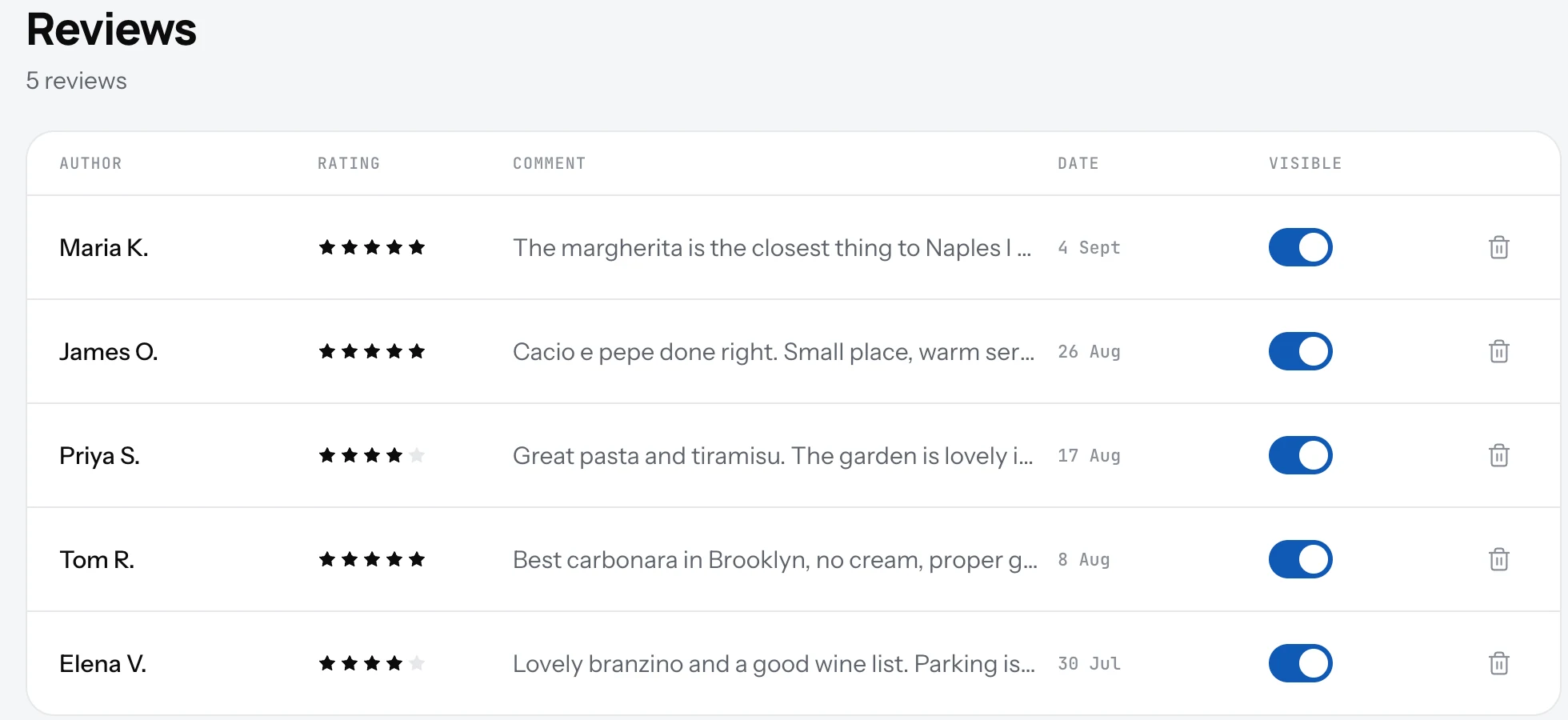
Guests can leave a star rating and a comment on your page. The Reviews screen lists them all, with a switch to show or hide each one.
Manage reviews
- Open Settings and click Reviews in the account list.
- Each row shows the author, the rating, the comment and the date.
- Turn Visible off to hide a review from your page. It stays in the list.
- Use the delete button for spam. This cannot be undone.
Good to know
- The count line at the top says how many reviews you have and how many are hidden.
- Hiding is for reviews that break the rules, not for reviews you dislike. Guests trust a page with mixed reviews more than one with only five stars.
- No reviews yet? Share the link and the QR code. Guests need to open the page to leave one.
Related
- QR codeA QR code that opens your page, ready to print. Download it as PNG or SVG from the Dashboard or Settings.
- Help and feedbackStuck or missing something? Chat, email or send feedback from any screen. We read every message.
- What guests seeYour page from top to bottom, as a guest sees it on a phone: cover photo, name and buttons, open or closed, updates, menu, map, contact.